BossRunner - Automated Endgame Boss Farming for Path of Exile
PAID EyeAuras pack
BossRunner automates the full invitation boss-farming loop in Path of Exile:
map device -> invitation -> boss fight -> loot -> hideout -> stash -> restock -> repeat
Built for long farming sessions, live monitoring, Auto Sales, recovery handling, and configurable behavior controls.
Links
Download:
https://eyeauras.net/share/S20260329213720n58CzQMZm3zk
Showcase:
https://www.youtube.com/watch?v=4eO1ujh5aGU
https://www.youtube.com/watch?v=gc4AJhlb3dE
Questions / test key:
Message autowerker on Discord.
More info on EyeAuras Discord channel:
https://discord.com/channels/636487289689866240/1488656158825644284
Discord invite:
https://discord.gg/edBKVfC2
Support is available for licensed users only.
What BossRunner Does
BossRunner runs the complete bossing cycle:
- opens the map device
- uses the selected invitation
- enters the arena
- executes the boss fight
- handles deaths and recovery
- waits for stable loot
- picks up drops
- returns to hideout
- deposits items
- searches stash tabs for the next invitation
- starts the next cycle
No manual input is required between successful cycles once the setup is correct.
Supported Bosses
- The Black Barya
- Searing Exarch
- Uber Searing Exarch
- Eater of Worlds
- Uber Eater of Worlds
Each boss has its own fight routine, portal handling, loot detection, and recovery flow.
Auto Sales - Faustus Integration
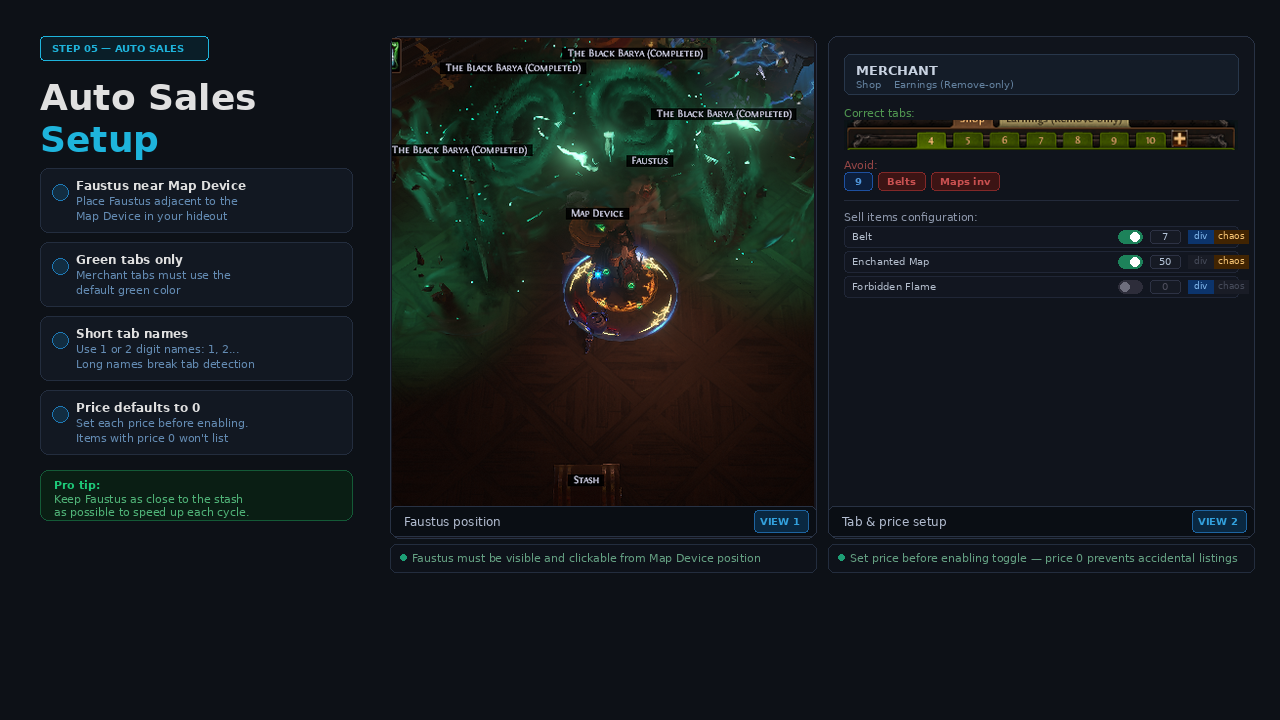
BossRunner can optionally visit Faustus after each cycle and list supported farm items on your Merchant Tabs using prices configured in the overlay.
Features:
- supported boss drops and farm items
- per-item enable/disable
- per-item price field
- Divine / Chaos currency selection
- automatic Merchant Tab navigation
- earnings collection
- stash fallback for remaining items
Supported examples include:
- Belts
- Maps
- Forbidden Flame
- Forbidden Flesh
- Omni
- Nimis
- Ashes
- and other configured items
Live Overlay
BossRunner includes a live configuration overlay.
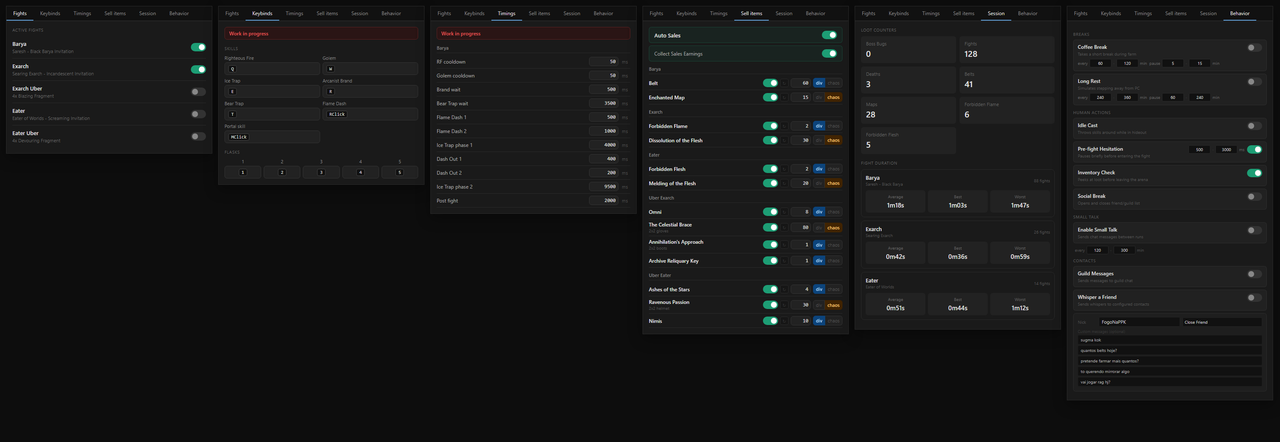
Tabs include:
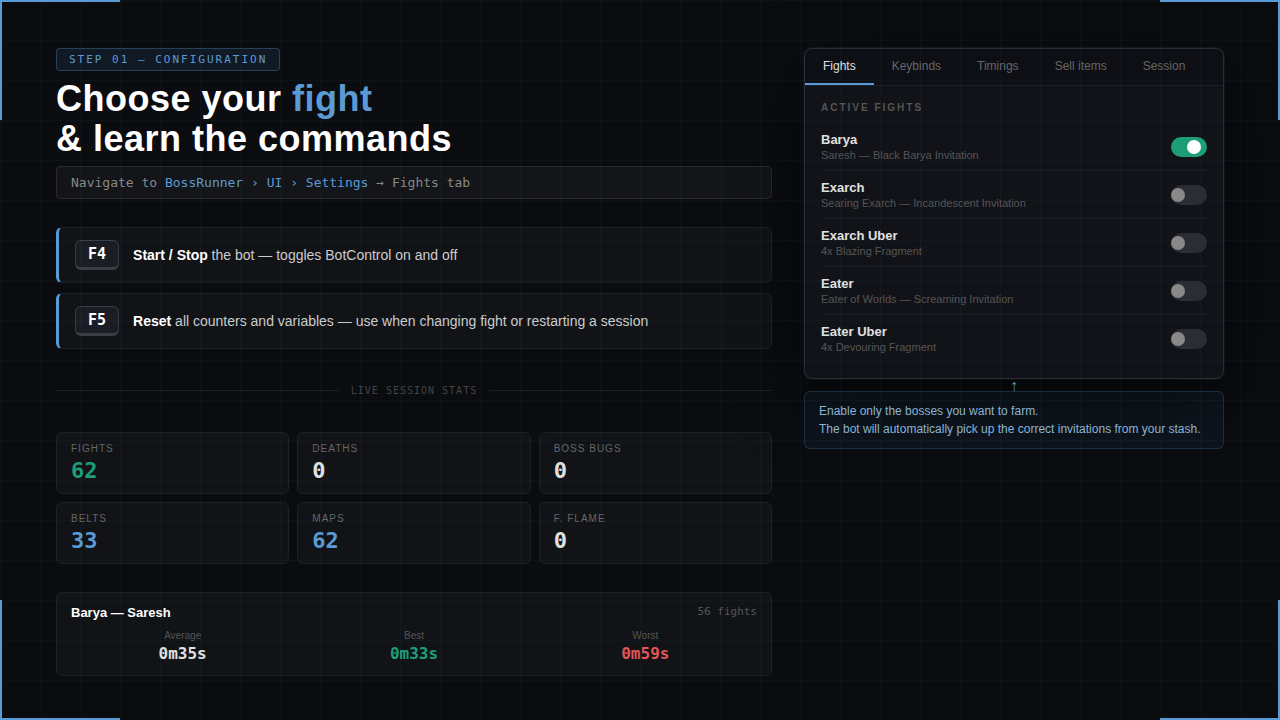
- Fights - enable or disable supported bosses
- Keybinds - match the bot to your in-game setup
- Timings - adjust timing values when needed
- Sell Items - configure Auto Sales prices
- Session - monitor current session stats
- Behavior - configure optional long-session behavior controls
Session stats include:
- completed fights
- deaths
- boss bugs
- loot counters
- average fight time
- best fight time
- worst fight time
Behavior Controls
The Behavior tab adds optional long-session controls without script editing.
Available controls:
- Coffee Break - short configurable pauses during farming
- Long Rest - longer configurable pauses for extended sessions
- Idle Cast - occasional skill cast while waiting in hideout
- Pre-fight Hesitation - optional delay before entering a fight
- Inventory Check - occasional inventory peek after looting
- Social Break - occasional social panel open/close action
BossRunner also includes built-in action delay and click spread controls for small input variation.
Stability And Recovery
BossRunner is designed around a recovery-focused state machine.
Included handling:
- death recovery
- loot stability checks
- inventory-full fallback
- boss bug timeout
- catastrophic fallback
- manual override hotkeys
- session state tracking
- periodic managed memory cleanup
- clear pending/running script ownership
The goal is to keep the farming loop readable, monitorable, and recoverable during long sessions.
Required Setup
Before running BossRunner:
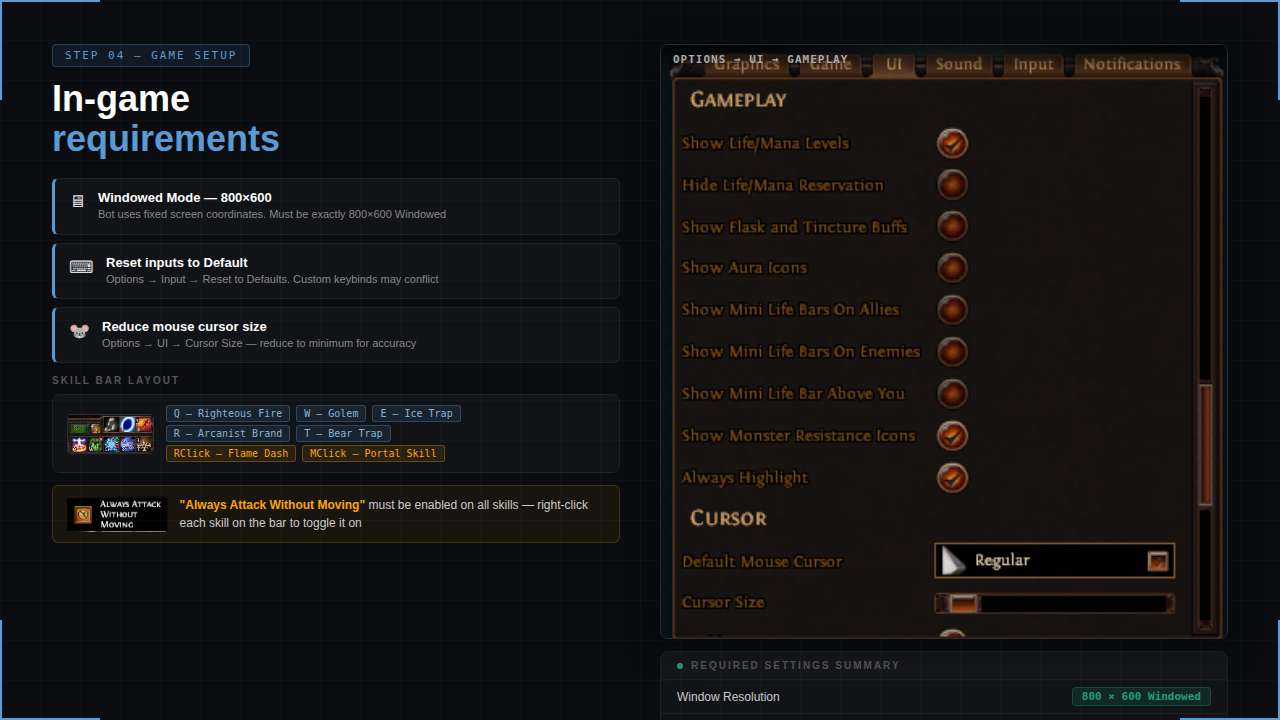
- Reset Path of Exile input settings to default.
- Use 800x600 resolution.
- Set all relevant skills to Always attack without moving.
- Use this skill layout:
- Q - Righteous Fire / nothing
- W - Golem / nothing
- E - Ice Trap
- R - Arcanist Brand / Cursed Ground
- T - Bear Trap
- Middle Click - Portal
- Right Click - Flame Dash
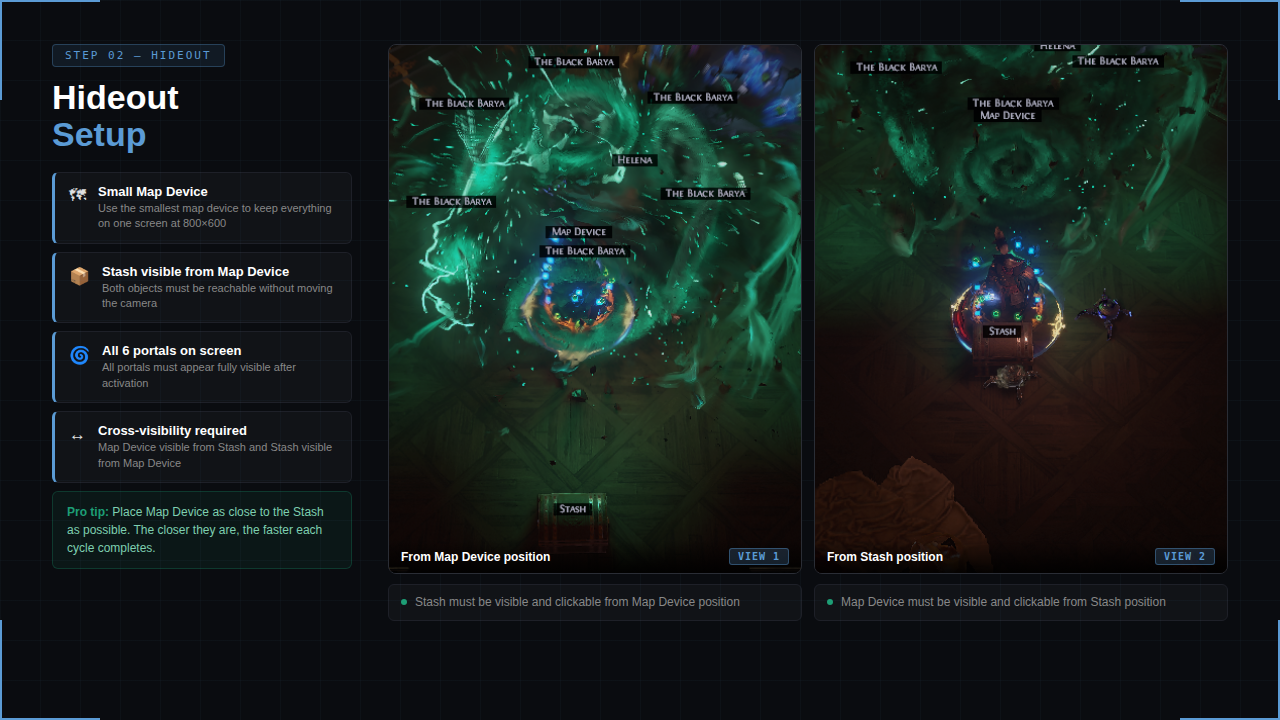
- Make sure everything visible in-game is reflected correctly in EyeAuras.
Example:
If your stash is visible on screen, _Stash should be green/active on the EyeAuras left panel.
If not, open the _Stash aura and adjust match threshold or image quality.
Some map devices have different Activate button positions.
If mapdeviceinsideActivate is not green/active after right-clicking the invitation, adjust its position/color capture.
You do not need to copy the exact same hideout, but use a clear layout where portals, stash, and map device are visible on the same screen.
Use this bossing loot filter:
https://www.filterblade.xyz/?profile=CB6%232691&saveState=KD5AGIPRVRKNCG&isPreset=false&game=Poe1
Remove flasks, auras, buffs, life bars, and minion UI elements from the UI menu when possible.
These can interfere with loot detection and affect the rotation.
Notes
- This is a paid EyeAuras pack.
- You run it locally on your own PC.
- No account access is required.
- Setup quality matters: resolution, keybinds, hideout layout, and EyeAuras condition matching must be correct.
- Support is available for licensed users only.

 1.9.9518.0