Stable
1.9.9774
Daily-driver build with the safest release cadence.
- Updated
- 18 weeks ago
- File Size
- 515.39 MB
- Release Notes
- Open notes
Stable is the recommended track for most users. Alpha gets you the newest capabilities first.
Daily-driver build with the safest release cadence.
Fastest release track with the newest features and experiments.
Every release stays linked here so you can inspect what changed before you switch versions.
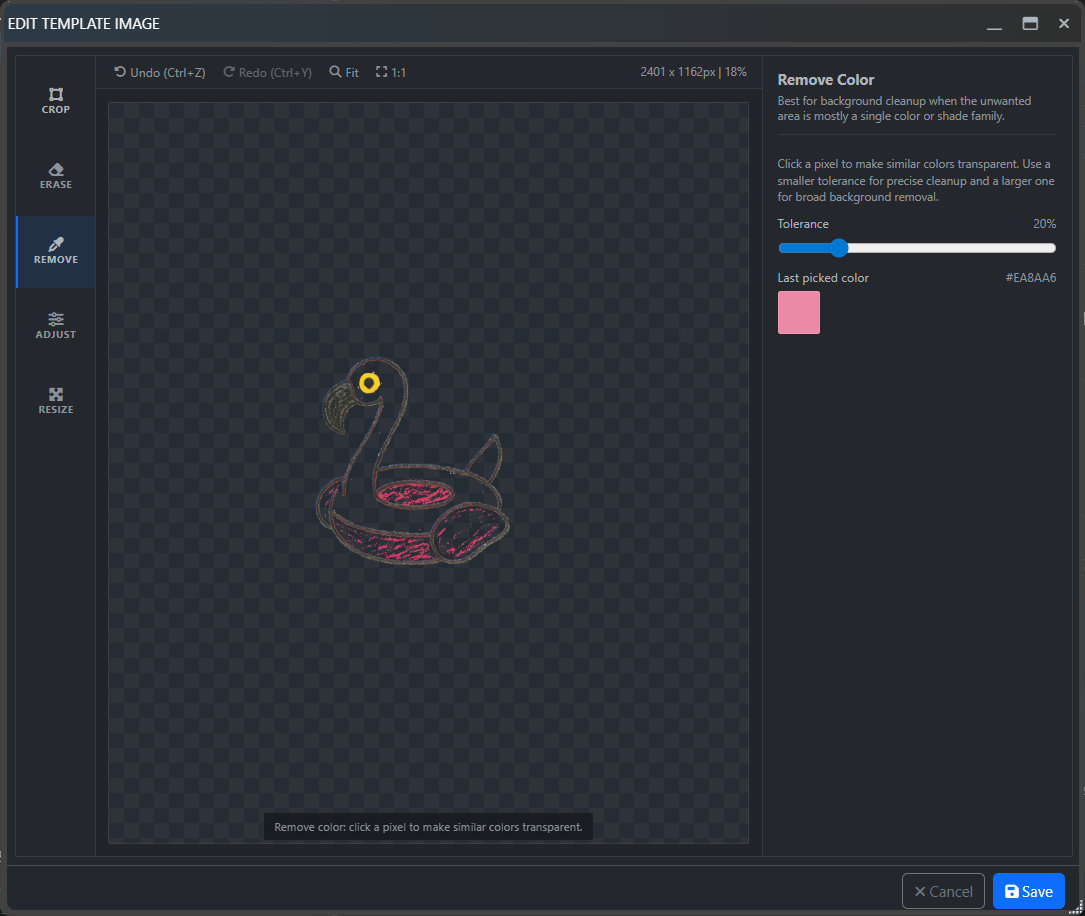
Bindings мог не всплыватьSend Sequence мог не раскрываться как ожидаетсяTransition to the new UI, a major sublicenses rework, EyePad, mini-app workflows, and the first steps toward tight AI integration directly inside EyeAuras.
The moment I have been preparing for over the last two years is finally here: the transition from WPF to Blazor.
The UI for all triggers, actions, and overlays has been rewritten. To switch to the new interface, you can either use the button in the window header or enable New Shell in settings.
For the next few months, it will still be possible to switch between the old shell and the new one, but eventually only the new one will remain. I will do my best to make it better than the old one in every possible way.

What to expect:
*Search nodes inside behavior trees; we will test that code in the good old triggers first, and then the same preview and related functionality, such as effects, will move into behavior trees and macros as well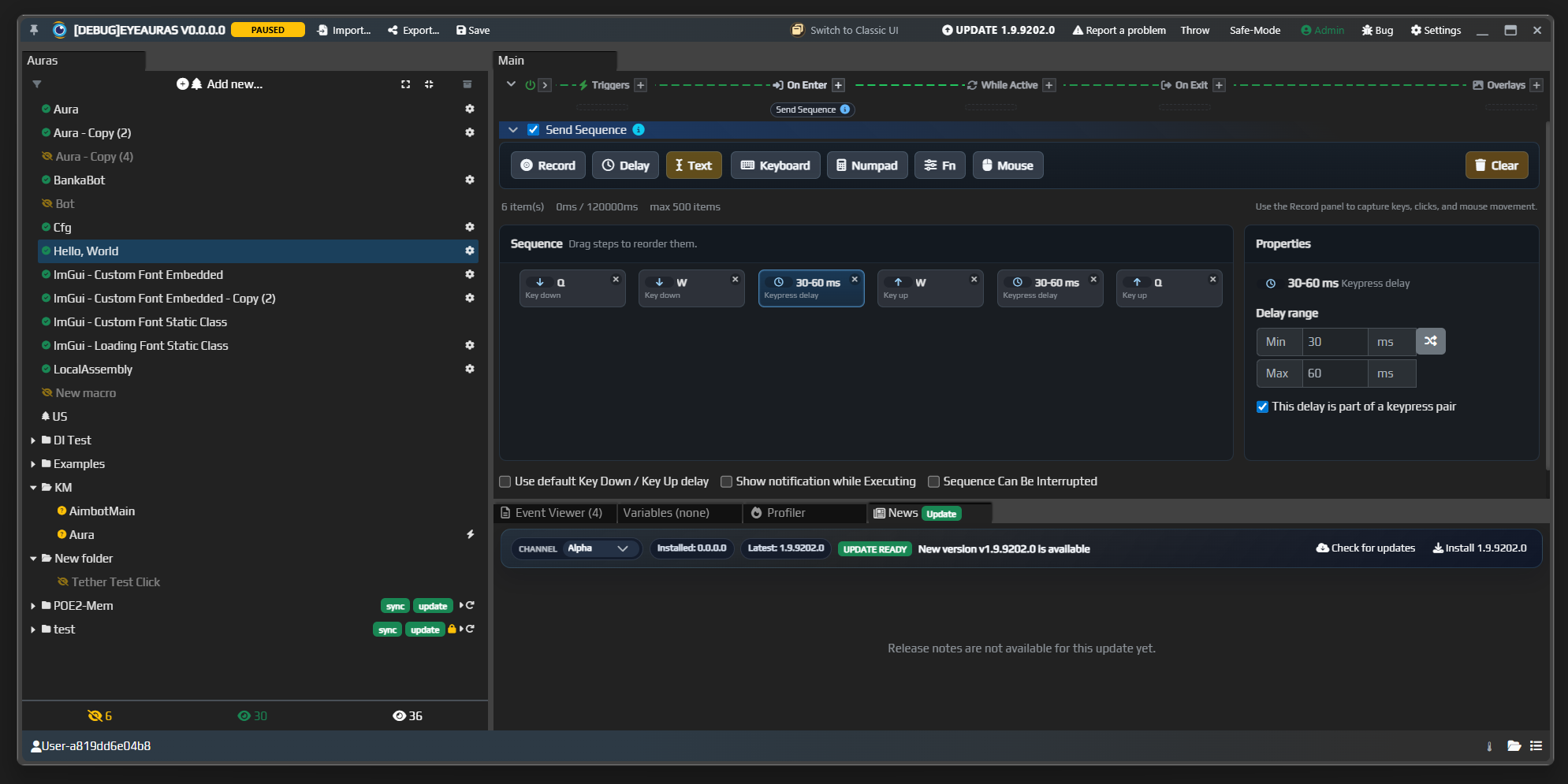
First, a quick reminder of what sublicenses are. Sublicenses are licenses issued by authors of packs and mini-apps that do something useful. It can be a clicker, a fishing bot, a tool, or anything else. The idea is that you can build such a mini-app and start distributing keys for it however you like.
With the current EyeAuras capabilities, the level of customization is already extremely deep. In practice, you can build a new program where automation, licensing, protection, updates, and similar infrastructure are already there by default.
In parallel with scripting improvements, I am continuing to develop EyePad — a special EyeAuras launch mode focused on code, execution, pack import, and working with .sln files through Live Import.
In practice, EyePad is a working shell for the flow "write code and run it immediately":
.csx or .cs file.sln and work through an IDEThis is no longer just "a script editor inside EyeAuras." It is a separate workflow for people who want to stay closer to code and switch faster between development and execution.
Mini-apps are the next level. Here EyeAuras is used not just as a host for a script, but as the foundation for something very close to a standalone application.
The idea is that you:
This is where packaging, script protection, custom login, sublicenses, and the full distribution story for your own tool or mini-app fit together really well.
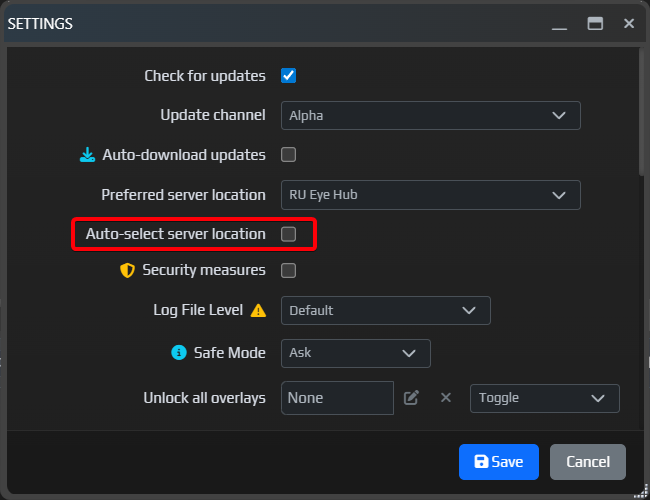
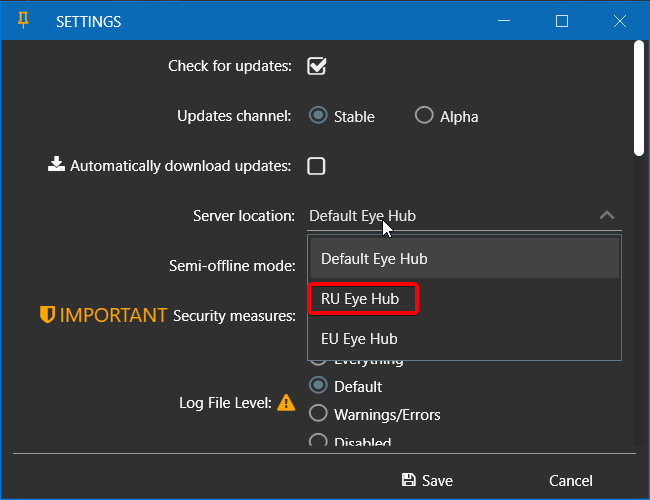
The connectivity situation for users in Russia is not getting better, only worse, so I added a new setting that should make life easier. Automatic server selection tries to find the nearest available hub. Right now there are two of them: one in Saint Petersburg and one in Frankfurt. If needed, I can add more later — there is already hardware in Helsinki and Vladivostok.
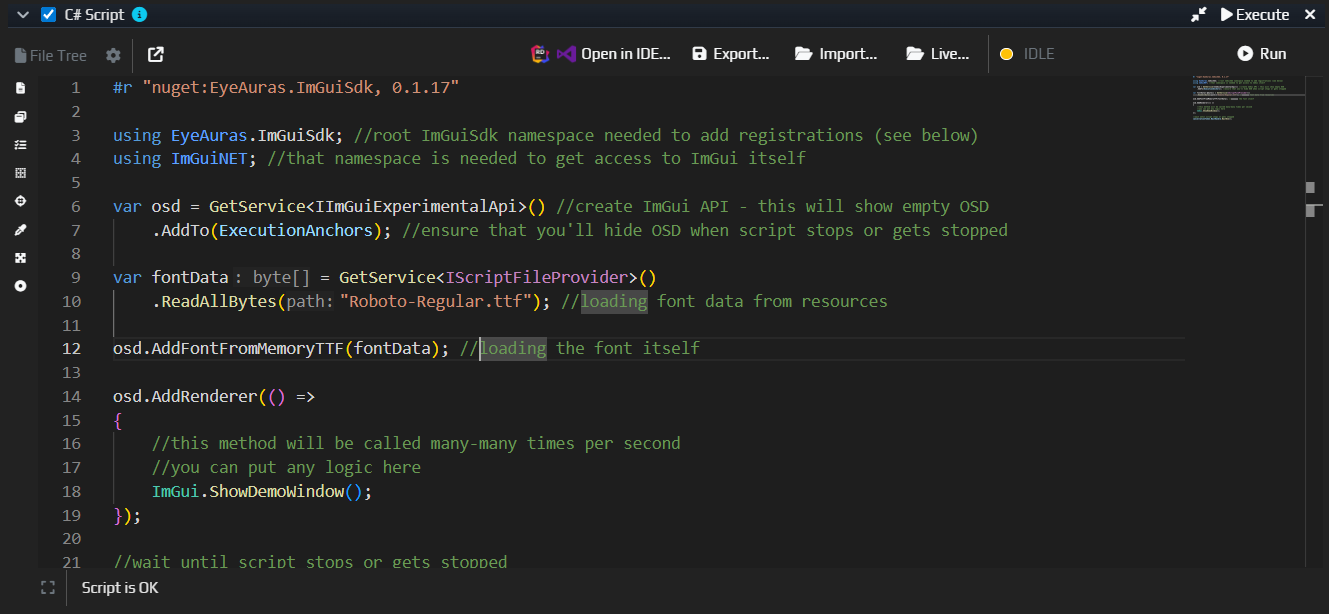
The editor now has smarter highlighting, InlayHints, better signature help, and navigation to the selected symbol (CTRL + click / F12). There is also ILSpy integration now, which makes it much easier to inspect external types and assemblies directly from the editor.
Compilation is also faster — around 30-40% on larger scripts, and around 0-5% on small ones (one file, 200-300 lines). Overall the editor should feel more responsive now; it was very constrained inside the old shell.
Below is a small teaser of where the next layer of tooling around scripting, EyePad, and mini-app workflows is heading.
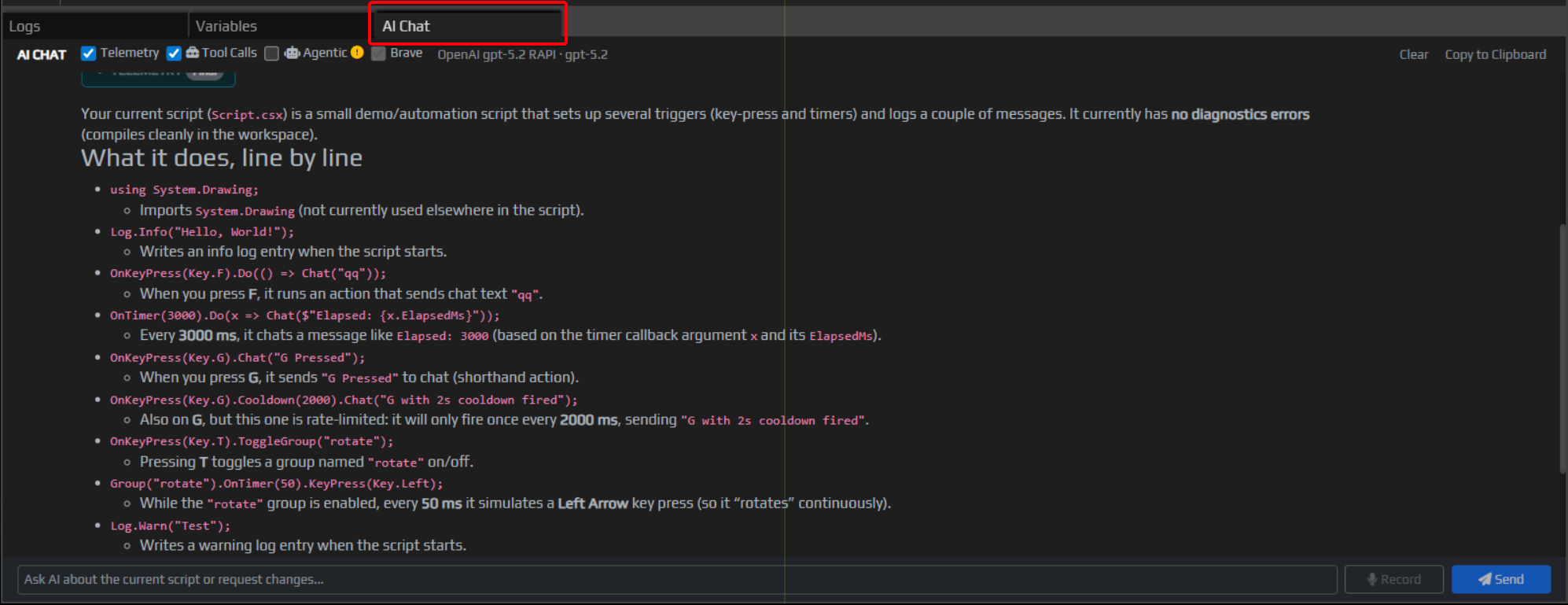
The screenshot shows the AI Chat tab. This is part of the idea of tight in-app AI integration directly inside EyeAuras. The goal is to make AI available not somewhere "next to the app in a browser tab," but inside the program itself:
Some of this already exists in alpha, some parts are still being polished, but the overall direction is clear: make it possible to develop scripts and auras with dense AI support, and eventually build mini-apps where AI is simply part of the product out of the box. I think that is the future.
Semi-Offline is now the default mode. Very briefly: it is a way to survive temporary disconnects, restarts, and crashes without instantly losing access — more here...PK_SublicenseStates)ScriptEmbeddedResourceFileProviderEmbedded Resources and StaticWebAssets support for NuGet packages — especially useful for UI components and packages that bring their own web assetsNuGet and package references should now make it into packed builds more reliablySendInputController that could show up in Ctrl+V scenariosGetThreads, VirtualQuery and GetMemoryRegionsIComputerVisionExperimentalScriptingApi not being available in SDKAdded new RU hub which should allow to circumvent issues with RU-region accessibility. Please report if login still won't work.
EyeAuras.ImGuiSdk , 0.1.42 - markdown editor, animations, composite buttons, fonts integration, images, caching, etc.RegisterViewType(Type viewType, Type dataContextType, object key = default) - this allows you to register your own UI widgetsScriptContainerExtensions being re-registered by BT nodes. This lead to singletons not really being... singletons.Major changes to scripting and the available APIs, a transition to a new monetization model, and much more.
All limitations that existed in the Free version are now removed — there is no longer any limit on the number of auras, script size, Telegram integration, and so on.
P.S. A license is still required for sending network messages, but that limitation should also be removed soon once I sort out the technical details — most likely in the next release.
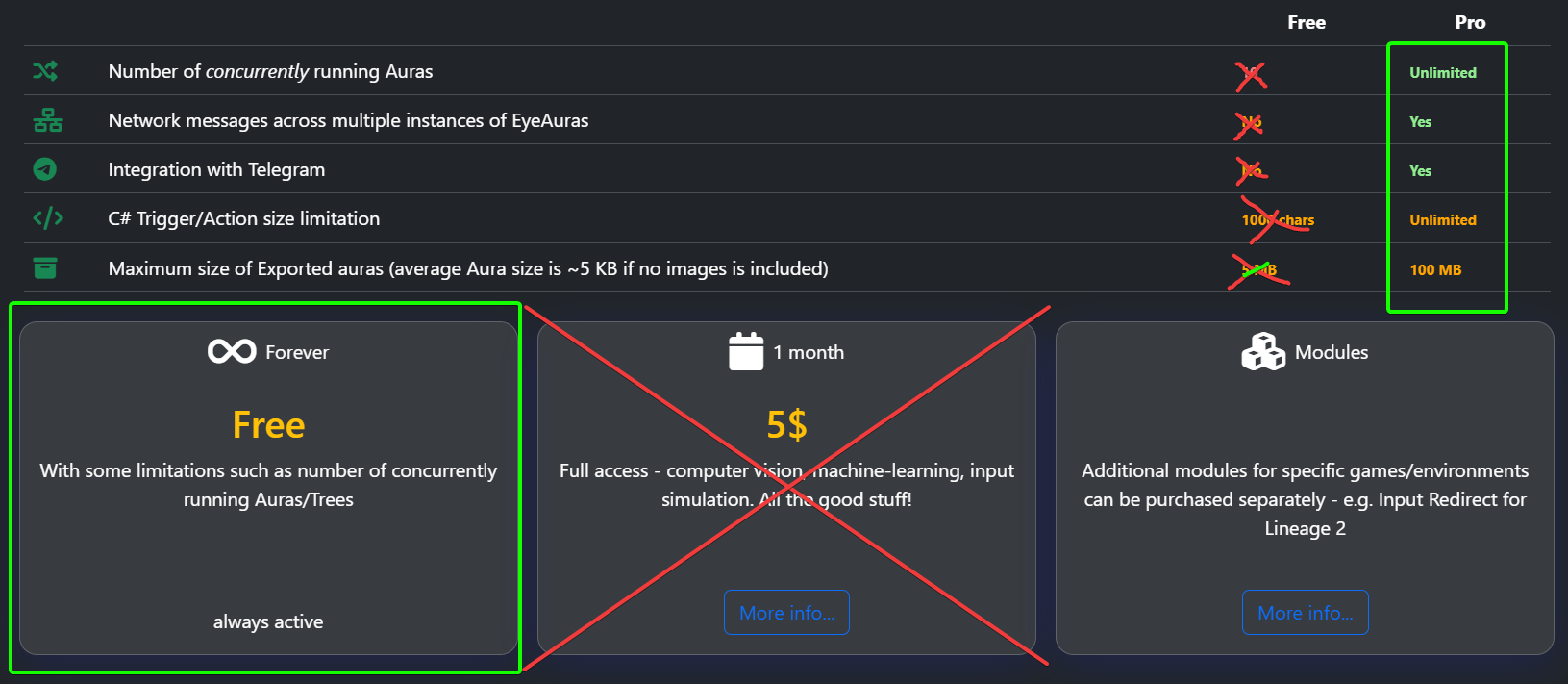
Yes. Everything that used to be locked behind a license is now available to everyone. In the very near future, license purchase options will also be removed from the website.
For now — yes. This is tied to how the program protects its modules, and at the moment it is still a core part of the system. Over the coming year, I will try to rethink this approach, but it will take time. At the very least, there needs to be a mechanism that allows the program to work offline for at least a few months.
With the development of the sublicenses mechanism and mini-apps (https://eyeauras.net/share/S20251105201607zPUUkZryl4CY), it feels right to shift monetization toward finished products built on top of the program, while making the program itself free.
Everything accumulated over 6 years of development is now available to everyone. I hope this encourages authors who were previously unsure whether it was worth trying to build something.
Further development will focus on making it easier to add modules to the program — for example, game-specific input simulators or ready-to-use mini-apps that solve practical tasks. All of this is already possible today, but the information is limited and scattered. That will be fixed.
Write to me directly — I’ll do my best to help with that inconvenience.
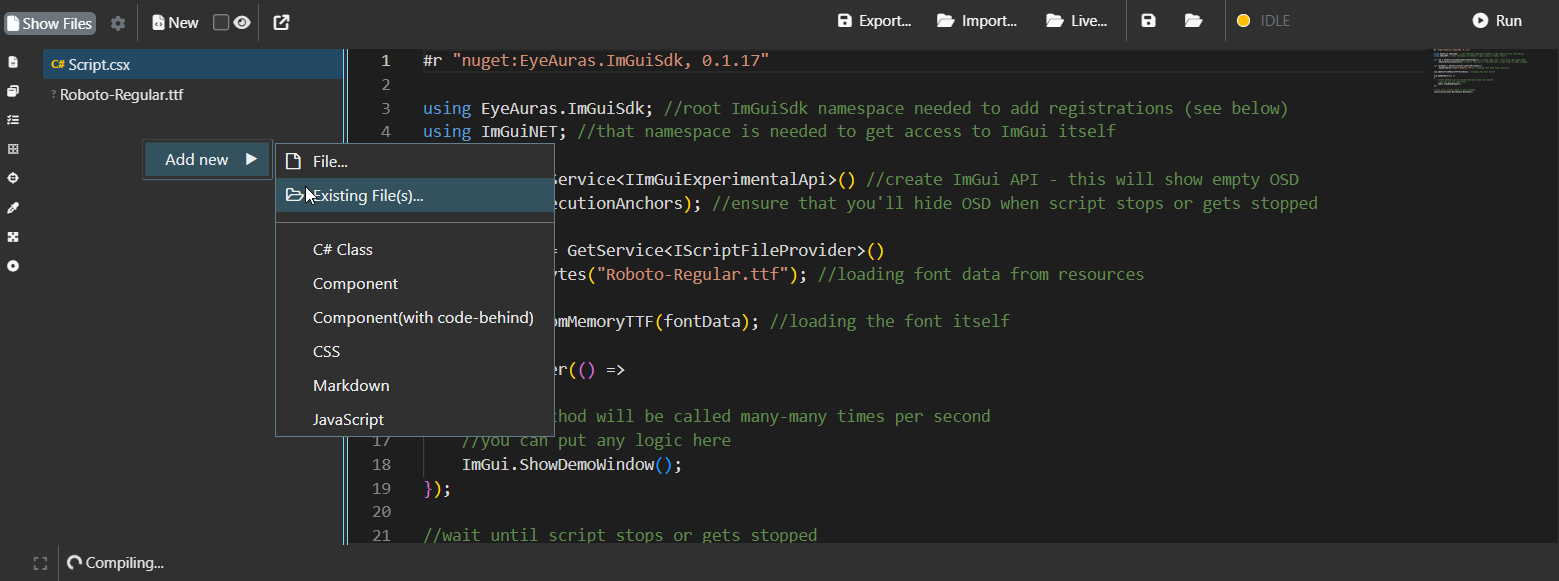
A very powerful new feature has been added to scripts — you can now embed entire files directly into your script, whether they are images, videos, text files, or even DLL/EXE files.
You can then work with them directly from the script: display them in the UI, load them into Triggers/Actions, or simply unpack them to disk for later use.
This is especially useful if you want to bundle a library into your script that is not available on NuGet — now you can simply attach the file to the script and tell the program to use it as a dependency.
Moreover, if you use C# Script protection, these resources will also be encrypted as part of the script, helping protect your work and authorship.
The script variable system has been refined — the approach to handling exceptional situations has changed slightly, with the goal of making scripting easier for new users.

Since last year, the program has included an IDE integration mode. In practice, this lets you write full applications while still staying inside the EyeAuras ecosystem.
You can edit a script directly from JetBrains Rider, Visual Studio, or any other development environment, including AI-based tools such as Antigravity from Google. This makes writing even small scripts easier and faster, not to mention larger projects.
This release includes more than a dozen improvements and optimizations aimed at reducing load times and speeding up the program’s internal systems.
Testing based on an ImGui bot that uses memory reading shows that it is now possible to operate in the 2k FPS range, INCLUDING the cost of memory reads and parsing all required game structures. Before these fixes, the numbers were around 500 FPS.
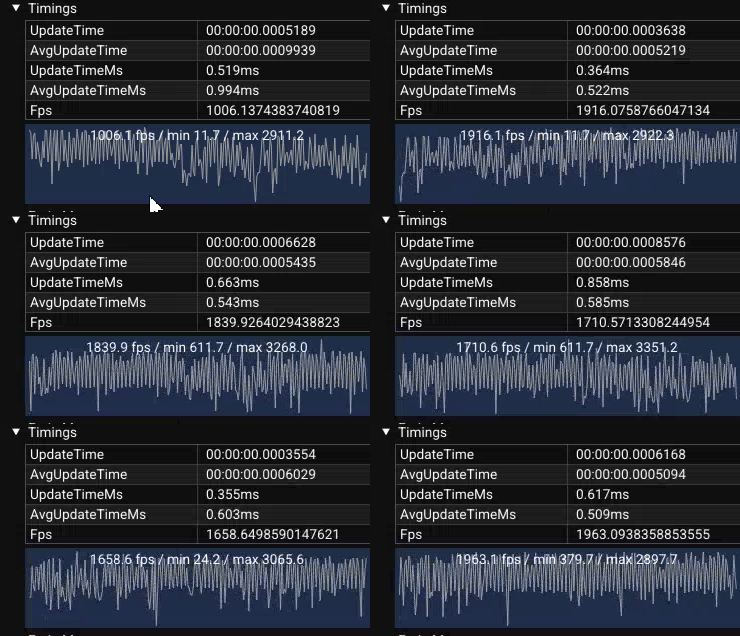
Please report any issues you run into!
.csproj files should now be detected correctlyNativeLocalProcess - very similar to LocalProcess, but uses a bit lower-level reading technique and allows to use handle to the process as a starting pointIPerformanceMetricsProvider — you can now display real-time memory and CPU usage dataВ этой версии — больше десятка различных улучшений и оптимизаций производительности, которые я готовил уже довольно давно.
В ближайшие пару недель возможны нестабильности, но для большинства сценариев, особенно для скриптинга в EyePad, разница должна быть просто колоссальной.
Проверил улучшения на боте на базе ImGui — теперь можно выходить на диапазон в 2k fps. И это С УЧЁТОМ чтения памяти и разбора всех необходимых игровых структур! По сути, bot-loop теперь работает примерно на ~2k тиков в секунду — до этих исправлений FPS был в районе 400–500.
Следующая цель — стабилизировать FPS и сделать его более плавным, потому что сейчас он довольно «скачущий». Пару месяцев назад я уже писал про адаптацию new prototype-GC в changelog для 1.7.8559 — это как раз должно помочь с этой задачей.
Пожалуйста, сообщайте обо всём, что заметите!