Stable
1.9.9774
Daily-driver build with the safest release cadence.
- Updated
- 18 weeks ago
- File Size
- 515.39 MB
- Release Notes
- Open notes
Stable is the recommended track for most users. Alpha gets you the newest capabilities first.
Daily-driver build with the safest release cadence.
Fastest release track with the newest features and experiments.
Every release stays linked here so you can inspect what changed before you switch versions.
A new Agent Guidance page has been added to the AI settings.
In short, EyeAuras can now prepare a portable guidance-pack folder for external AI coding agents. It contains up-to-date docs, examples, SDK notes, metadata, and MCP status.
This is useful when you open an EyeAuras project, an exported workspace, or a C# project in an external agent such as Codex, Claude Code, Cursor, and similar tools. You no longer need to manually explain what EyeAuras is or where the correct context lives every time.
Important: EyeAuras now works at the folder level. Your project AGENTS.md is not changed or overwritten. The guidance pack itself includes its own AGENTS.md, which the agent can use as a starting point.
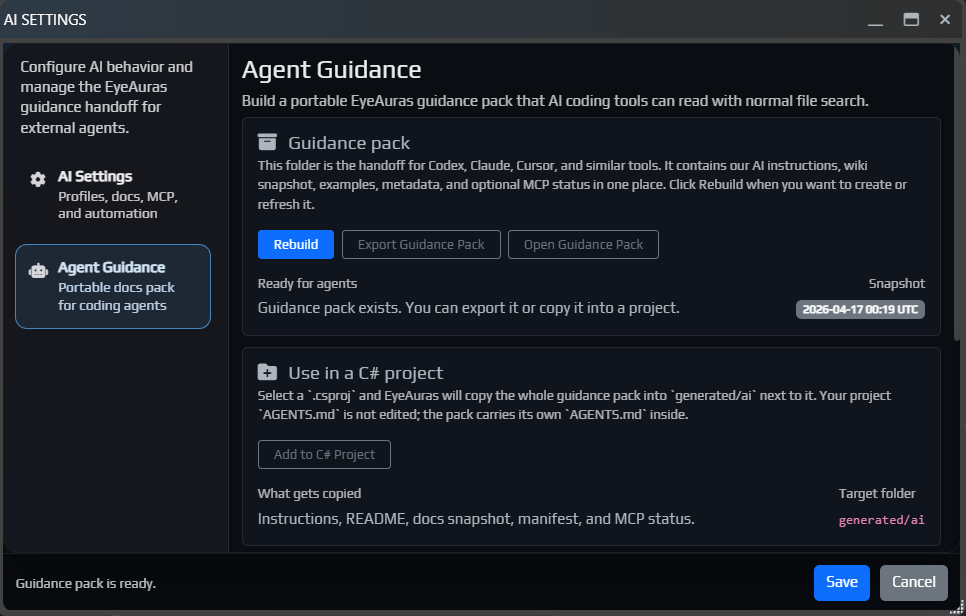
From this window, you can:
generated/ai through the selected .csproj or .sln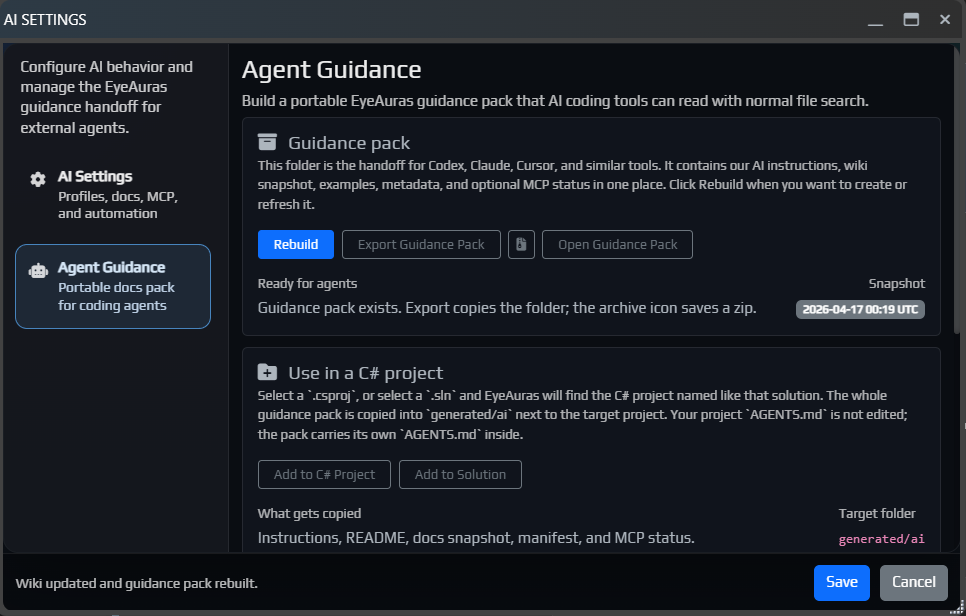
The pack contains AGENTS.md, README.md, docs/, manifest.json, and, if MCP status was recorded, mcp-status.json.
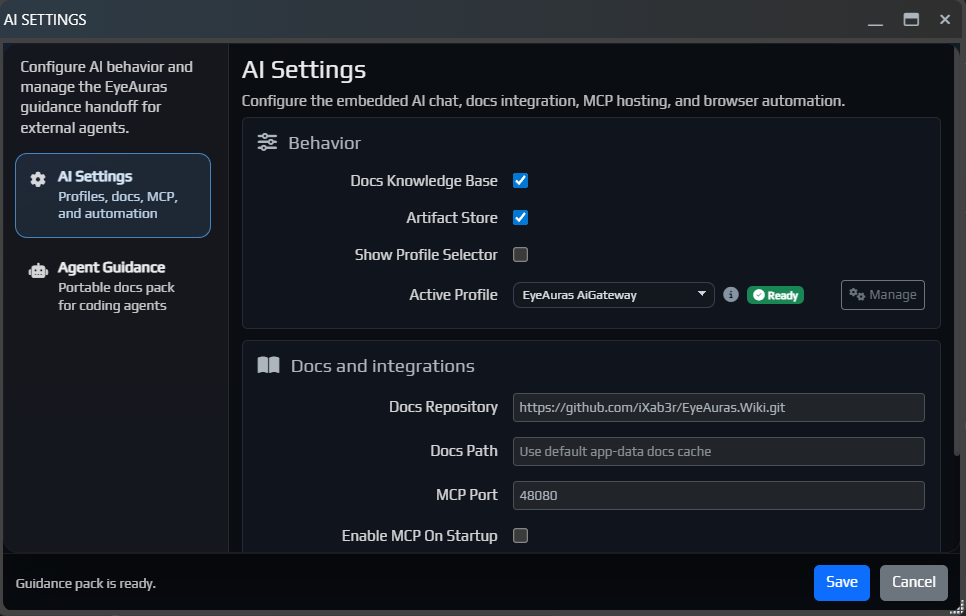
The generated/ai folder is managed by EyeAuras and is fully replaced when copied again.
Read more:
The same window now also includes a more convenient MCP helper.
MCP is a local bridge that lets an AI agent request targeted context from EyeAuras. The docs remain the primary source, and MCP is best enabled when the agent needs to ask EyeAuras about the current application state, windows, or available objects and symbols.
For normal wiki questions, you can safely ignore it. For external coding agents and more advanced scripting tasks, it can be very useful.
EA-1236 by S1lver)The built-in AI and Codex IDE Context mode has been improved. The assistant now has a better understanding of which script, aura, or project you are currently working with.
If the project has already been exported to disk, the AI can now use real diagnostics, symbol search, and documentation more confidently. In practice, this means that for more complex tasks it should rely on the actual project more often and guess less.

The C# Overlay editor now includes a Clone as Action button.
It clones the current overlay as an OnEnter C# Script action, then automatically collapses and disables the overlay itself. This is useful when an overlay started as a quick prototype and later needs to be turned into a regular action without manually copying the project.
Also fixed a transparency bug in C# Overlay that could cause the overlay to behave incorrectly.

BlazorWindowНебольшой патч, который должен улучшить отзывчивость окон под нагрузкой и помочь вашим пакам быстрее попадать в поисковую выдачу.
Добавлена новая документация по Memory API для C#-скриптов. В ней постепенно раскладывается базовая модель работы с памятью в EyeAuras: какие есть backend'ы, с чего лучше начинать, как искать code cave, как подключать свой IProcess и как строить собственные memory backend'ы.
Полезные точки входа:
Во внутренние API лицензий добавлены новые подписанные поля у UserLicense, а у саблицензий появился явный MaximumSessions.
var license = GetService<ILicenseAccessor>();

Log.Info($"UserId: {license.UserId}");
Log.Info($"Roles: {string.Join(", ", license.Roles)}");
Log.Info($"AppVersion: {license.AppVersion}");

if (license.ShareSublicenses.Length > 0)
{
    Log.Info($"MaximumSessions: {license.ShareSublicenses[0].MaximumSessions}");
}
Подробнее: Лицензии на паки
В IProcessControlApi появились явные FreeMemory(...) и ProtectMemory(...). Теперь выделенный регион можно не только получить через AllocateMemory(...), но и нормально довести до конца: поменять protection, выполнить нужные действия и затем корректно освободить.
using System.Diagnostics;
using EyeAuras.Memory;

using var process = LocalProcess.ByProcessId(Process.GetCurrentProcess().Id);
var control = (IProcessControlApi) process;

var region = control.AllocateMemory(
    IntPtr.Zero,
    4096,
    MemoryAllocationType.Commit | MemoryAllocationType.Reserve,
    MemoryProtectionType.ReadWrite);

var oldProtection = control.ProtectMemory(region.Address, region.Size, MemoryProtectionType.ExecuteRead);
control.ProtectMemory(region.Address, region.Size, oldProtection);
control.FreeMemory(region);
Подробнее: Memory API - С чего начать
BlazorWindow, из-за чего окно должно вести себя лучше под нагрузкойsublicenseScrydeУ C#-скриптов появилась кнопка Properties, которая открывает отдельное окно свойств скрипта. Внутри собраны основные настройки и зависимости: Overview, управление NuGet-пакетами, References для внутренних и внешних сборок, а также Embedded Resources для файлов, которые должны распространяться вместе со скриптом.
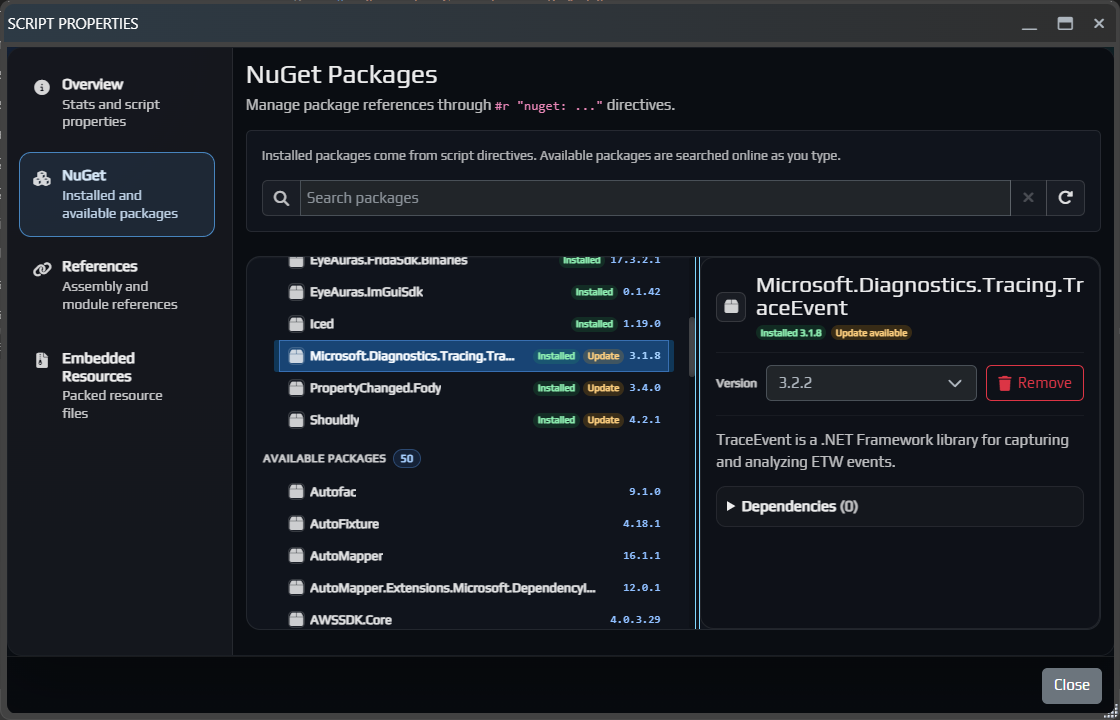
Подробнее:
Codex теперь лучше понимает специфику EyeAuras, из-за чего должен полезнее работать на сложных технических задачахExport и Import - должны стать поудобнееBlazor-окон когда окно "упрыгивало" в сторонуICodeHighlightServiceCodex внутри EyeAuras продолжает обрастать более рабочим UX: отдельные threads, более понятный flow работы и в целом более практичный режим для сложных coding-задач.
Если обычный AI Assistant удобнее как быстрый in-app chat и справочник, то Codex уже сейчас лучше воспринимать как отдельный режим для более тяжелых технических задач.
Подробнее про AI Codex Coding Assistant

Продолжает развиваться и поток Export / Import: теперь это уже заметно более внятный и удобный способ публиковать pack'и, обновлять их и импортировать обратно с превью и нормальными опциями.
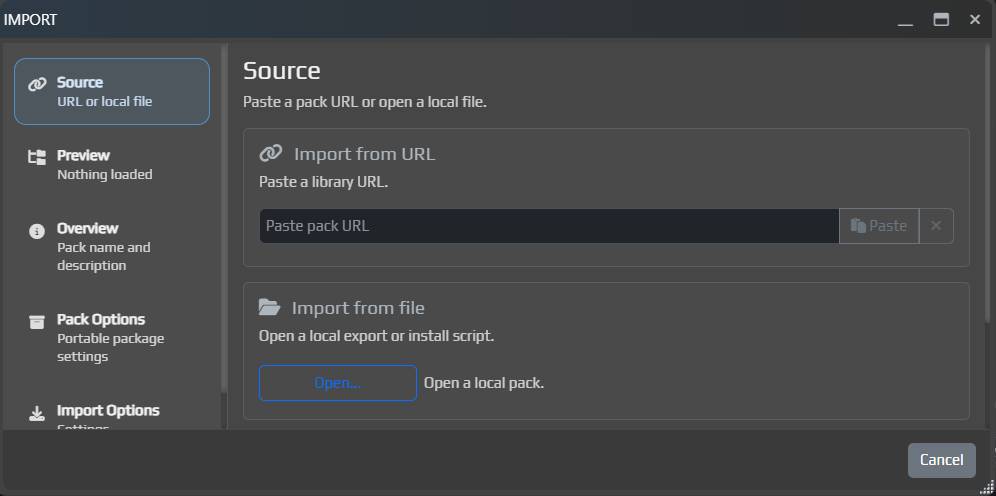
EyeAuras GatewayВ основном добивка багов и полировка нескольких мест в UI
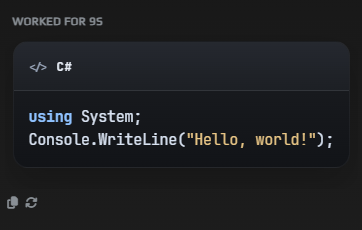
Добавлено отображение кода в блоках
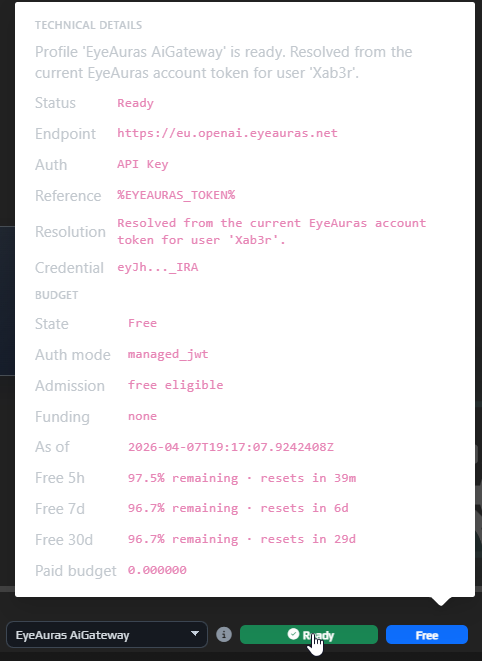
Добавлено отображение бюджета и лимитов (просто наведите мышку на статус рядом с профилем)
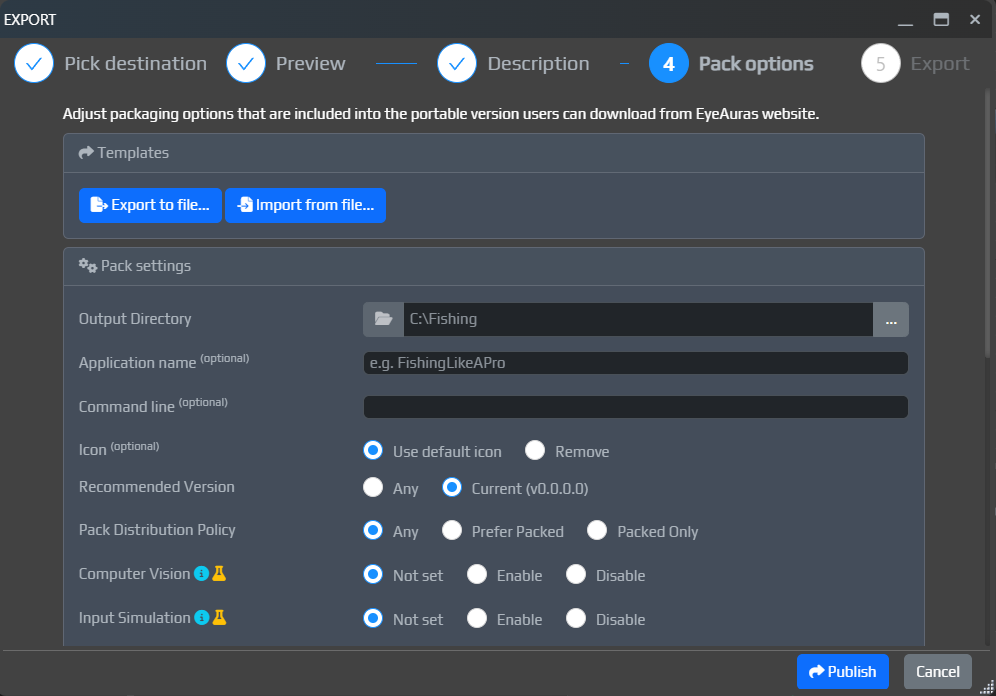
Export (когда выставлен режим Binaries Only)The Export window has been improved. You can now set packing parameters directly there, and also specify the pack name and description.
This still is not the final version of the flow. The goal for the next two months is to bring it to a point where you can assemble a working mini-app in 10-15 minutes, have AI write it for you, upload it in one action, and immediately share it with anyone interested.
Right now we are roughly 70-80% of the way there, especially after the latest fixes.
The in-app update window has also been improved.
It is now easier to navigate the changelog:
RU and EN patch notes directly inside the update window

Free limits were added to EyeAuras AI Gateway.
This was done so everyone can have AI available right away, without needing to register an OpenAI account, add budget there, or pay for a subscription. This is especially important for users in Russia, where direct access to OpenAI is still blocked.
For most users, AI will probably be more of a reference tool: quickly look something up, ask a one-off question, understand a topic, and move on. I hope the free limits will cover exactly that kind of use. For full-scale coding and serious scripting, they most likely will not be enough.
Important: AI is expensive. I reserve the right to keep adjusting these limits, their availability, and the general usage rules as the feature starts seeing real load. The program is free, and I still want at least some AI access to be available to absolutely everyone, so we need to find a balance.
In simple terms, EyeAuras Gateway is a special server address that you can put into the AI profile in the OpenAI Endpoint field, next to API Key and the other settings.
From the user's point of view, it is almost the same as a regular OpenAI profile, except that instead of the standard endpoint you use EyeAuras Gateway.
This is mainly useful for people who do not want to create their own OpenAI key, or who live in Russia. If you already have normal access to OpenAI, direct OpenAI is usually still the simpler option.
EyeAuras Gateway now supports two modes.
This is the main mode. You use AI as an EyeAuras user.
In this mode, you do not need your own OpenAI account. This is how the free limits work: the OpenAI costs are covered on the EyeAuras side, and you simply use AI inside the program.
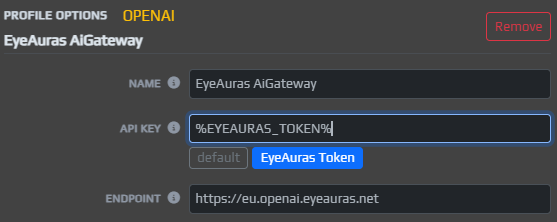
This is the fallback mode. In it, Gateway does not pay for anything on your behalf and simply forwards requests to OpenAI servers using your own key.
This is only needed for users in Russia.
In short:
Gateway - you want to use AI without your own OpenAI accountProxy - you already have your own key, but need a convenient path to OpenAIImportant: in Proxy mode, your personal OpenAI key passes through EyeAuras servers. Technically, I tried to make this as safe as possible and avoid storing or logging anything unnecessary, but it is important to understand how the setup works.
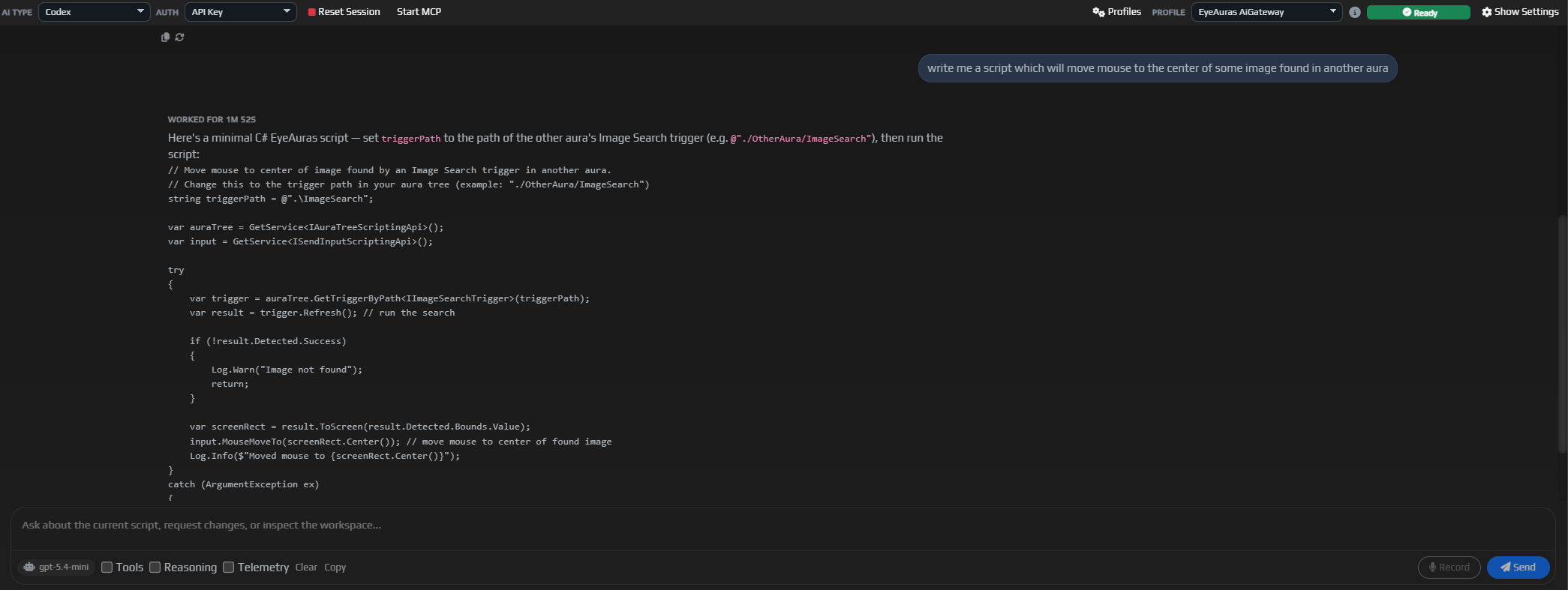
Support for Codex was added. In my opinion, it is one of the strongest AI assistants available today.
From the user side, the idea is roughly the same as with regular ChatGPT: you give it a task, and the assistant tries to solve it using every tool available. The key difference is that Codex tends to dig much deeper into the problem, re-check its conclusions more often, and usually produces stronger results on complex technical tasks.
Right now, Codex and Claude Code are driving a lot of practical AI programming forward, and now this kind of integration is available here as well.
For now, Codex is not running at full power yet: not all the wiring is connected. For example, I intentionally have not connected it to the scripting system yet, even though that is one of the main future use cases and one of the reasons it was added in the first place. Automatic behavior tree generation, writing scripts, self-diagnostics in the style of "why is this not working" - these are exactly the kinds of scenarios where Codex is especially strong. But first, we will spend about a week evaluating the integration quality itself, let it work as a reference tool for now, and then give it more freedom.
The main use case for Codex is complex work: programming, automatic configuration of auras, trees, macros, and similar systems.
Using it just as a reference tool is a bit like using a cannon to shoot sparrows. On top of that, this kind of usage may simply be more expensive, because Codex tends to double-check itself. That is great for quality on difficult tasks, but not very cost-effective for simple ones.
You can always switch between Codex and regular Chat mode, but conversation context is not shared between them.
p.s. The UI is still under active development. This is far from the final version.
StayOnTop button in the window title barSubTree could not be deleted in behavior treesНовый интерфейс в альфе уже несколько недель, и на данный момент выглядит так, что самые критичные проблемы либо уже вычищены, либо пока еще не найдены.
Теперь у всех новых пользователей IsBlazorMode = true включается по умолчанию. То есть новые установки сразу стартуют в новом UI.
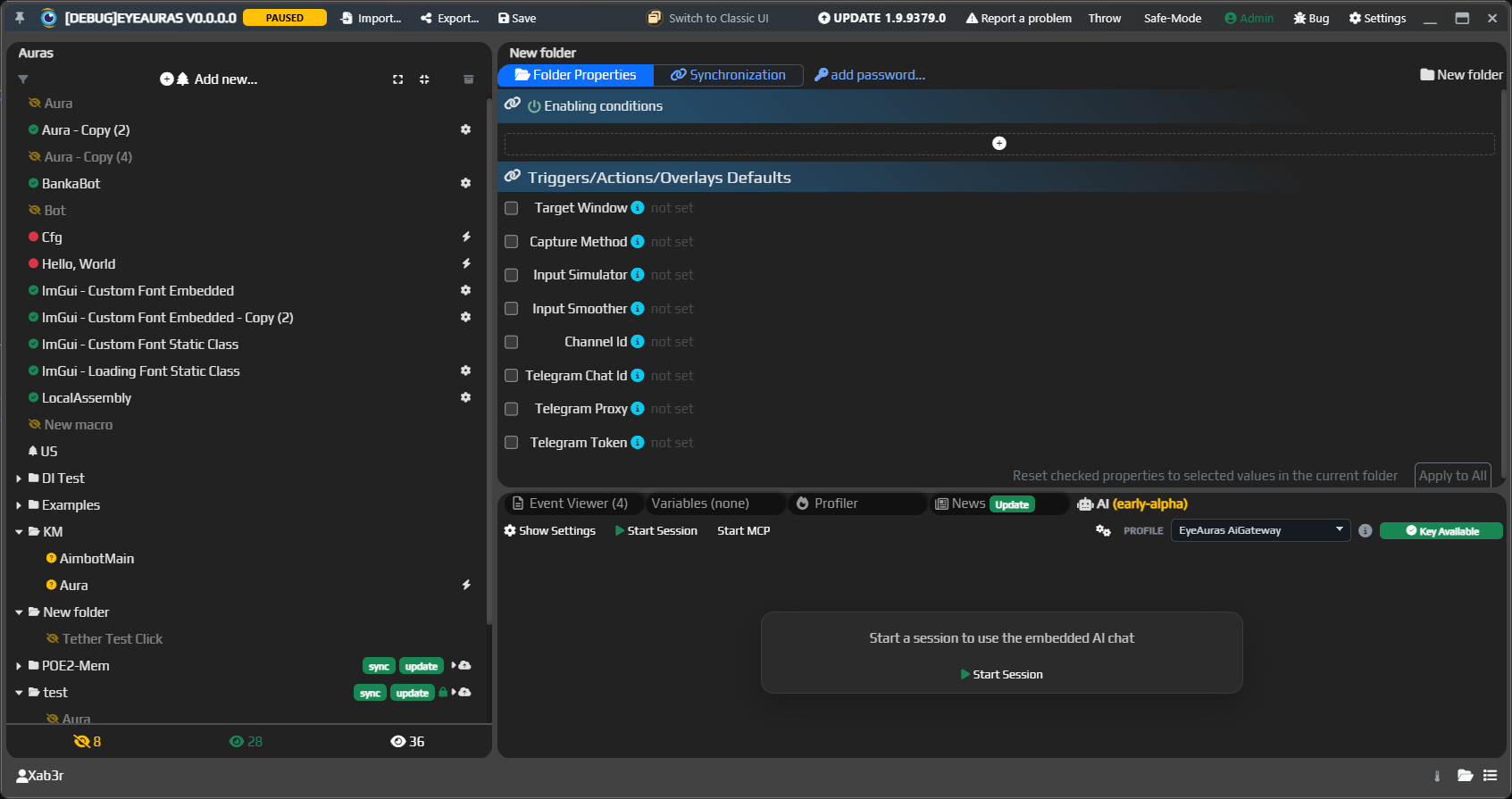
Если вы еще сидите на классической оболочке, очень рекомендую хотя бы попробовать новый интерфейс. Впервые он был введен вот здесь:
Запускаем публичную альфу EyeAuras Bot.
Это бот, который сидит в Discord и которому уже можно писать за помощью по EyeAuras. Он знает документацию, умеет подсказывать по скриптам, настройкам и общим сценариям использования программы.
Основной сценарий такой:
Должен поумнеть и встроенный AI Assistant внутри самой программы.
Он теперь лучше понимает специфику EyeAuras, полезнее отвечает на вопросы по коду и скриптам и в целом сильнее завязан на качество локальной wiki. Чем качественнее и полнее документация, тем умнее становится и встроенный AI.
Отдельно добавлена документация по scripting best practices:
EyeAuras Gateway развивается, это по сути proxy-сервер над OpenAI и нужен для двух простых вещей:
Что важно:
Подробнее про EyeAuras Gateway
Параллельно расширяется и техническая документация по самому C# scripting.
Добавлена отдельная статья про ScriptContainerExtensions - это механизм, через который можно регистрировать свои сервисы в DI-контейнере скрипта, подключать модульные библиотеки и аккуратнее собирать более крупные scripting-сценарии, mini-app и pack'и.
Если коротко, это важная тема для тех, кто уже вырос из одного Script.csx и хочет строить более модульную архитектуру поверх EyeAuras.
Теперь вся wiki доступна и на русском, и на английском языке.
Перевод идет автоматически через AI, так что если в английской версии что-то выглядит криво или искажается по смыслу, пожалуйста, сообщайте:
/limit-usage и /configured-limitsstop теперь не дает любому участнику канала останавливать чужой запрос@everyone, ролей и пользователейResponses API: добавлена потоковая выдача ответовTool Calls, Reasoning и TelemetryShow SettingsIsBlazorMode = true)This is a small follow-up to 9374, still focused on AI.
EyeAuras now creates two AI profiles by default:
OpenAI profileEyeAuras Gateway profileThat makes the first setup a bit easier: you can either use your own key right away or already have a ready-made gateway profile if you have access to that alpha route.
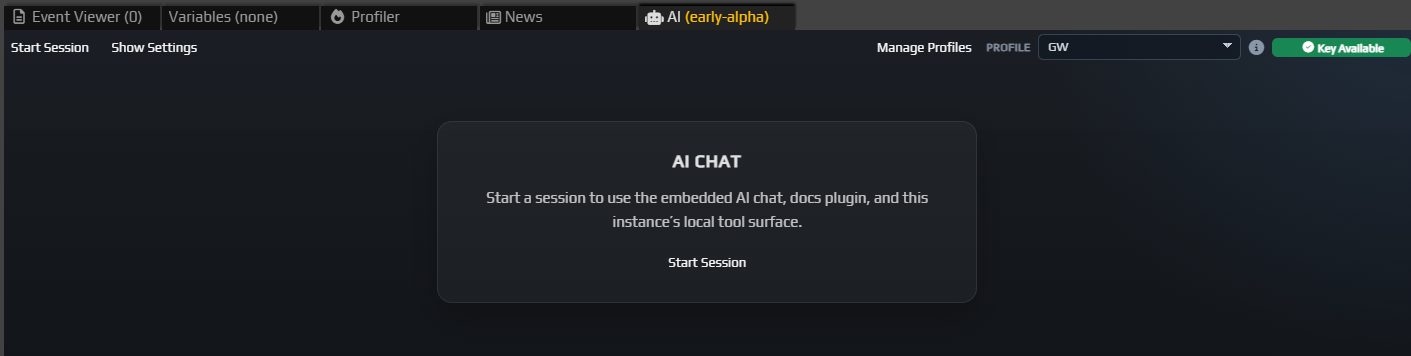
OpenAI and EyeAuras GatewayThe main new feature in this build is the built-in AI Assistant.
EyeAuras now has a dedicated AI tab inside the app where you can:
OllamaEyeAuras AiGateway when neededThis is still an early alpha, but even now it is already useful as an in-app reference and as the first practical layer of deeper AI integration inside EyeAuras.
%EYEAURAS_TOKEN% and EyeAuras Gateway in AI profilesSharePreview crash